Presenting your work on the page
Well done on all your hard work producing the concept models and presenting them professionally. Most of you did good work.
This is general feedback on the presentation only, not the content. Keep it as guidance for your future portfolios.
Show your process
Process is critical. Show how you got there, not only the final model:
- iterations and alternatives
- failed attempts, and what you learned from them
- the model while it is being made, e.g. curing inside the mould
Always take pictures, for the record. You cannot photograph a step after it is gone.
Photographing models
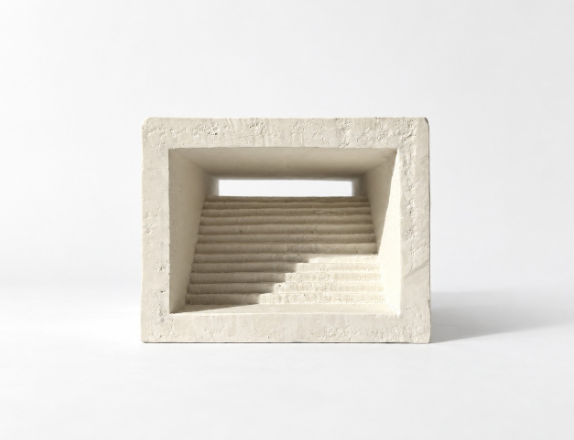
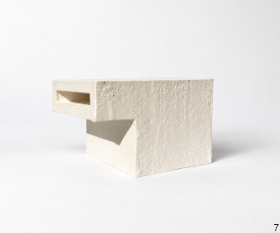
The photo is how most people will see your model. It needs to look professional.
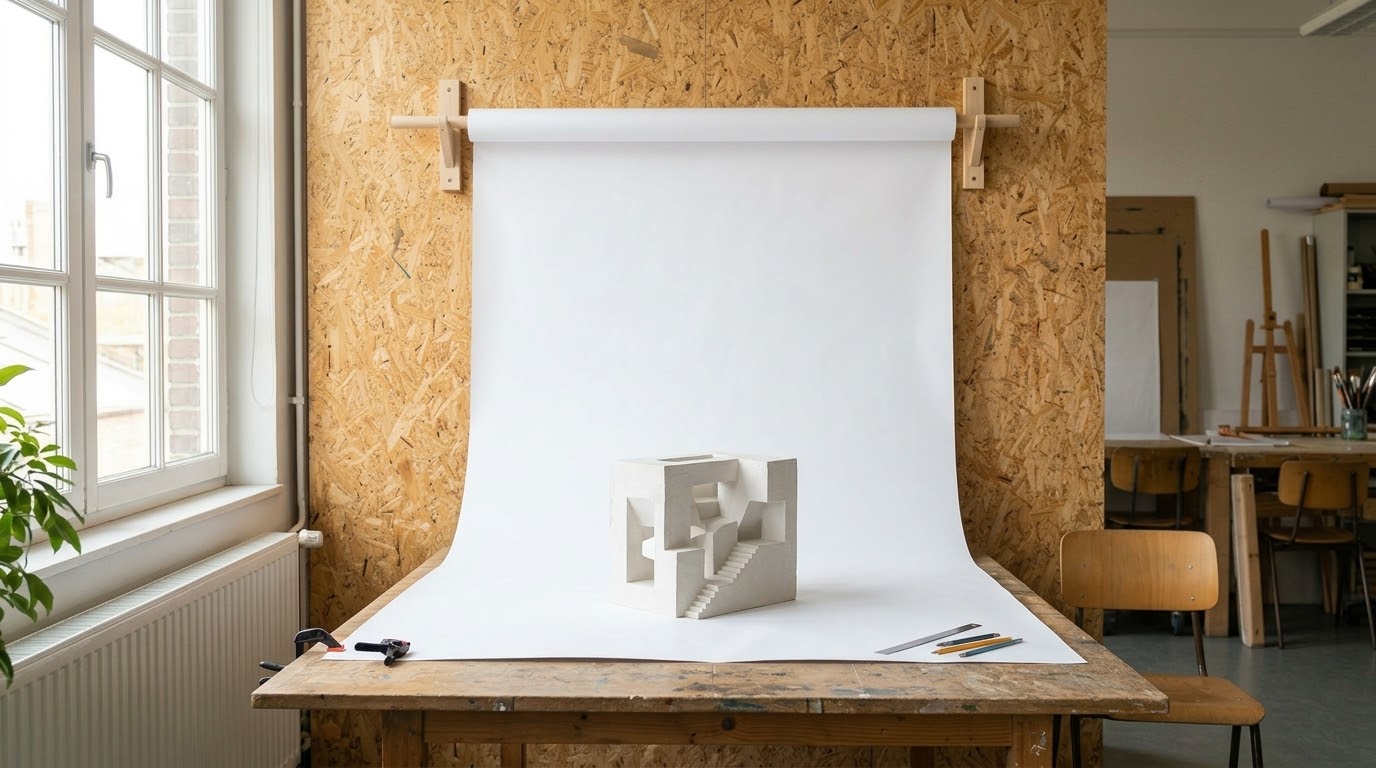
- One continuous sheet. Let the paper curve from wall to table, so there is no corner or horizon line behind the model.
- Soft light. It usually works best. A window to one side is a good start.
- Zoom in from far away. Use the zoom lens and step back. Lines stay straighter, with less distortion.
- Fill the frame. Choose the viewpoint on purpose, keep only the model and paper in shot.
- Try things. Different angles, different lighting. Take many photos and pick the best.
- Edit in Photoshop. Crop, fix the lighting, remove the background if needed, desaturate.
There is a photo backdrop in the studio class. Ask and use it.
Drawing scans
- Scan or photograph in good, even light.
- Crop and rotate so the drawing is aligned.
- Remove the background when possible. Sometimes it is fine to leave it.
- No colour in the sketch? Desaturate it.
- Play with Levels (Ctrl+L) and contrast to clean up the paper and darken the lines.
The InDesign task matters
Your final portfolio will follow a very similar layout, so do this task properly: the file, styles and grid you set up now can be reused.
The template is indicative. Adapt it and make it yours, but make it better, not worse. Always follow the submission rules: page count, size, orientation. Here: A3 portrait, as a spread.
What is a spread?
Two pages side by side, read as one space, like an open magazine. Portfolios are read this way, so design pages in pairs, not one at a time.
Margins and columns
Set them first (Layout › Margins and Columns), then place everything on them. Keep content inside the margins. Inner and bottom margins are usually wider: the inner one is lost in the binding, and a heavier bottom keeps the page from looking like it is sliding off.
Press W to toggle guides, columns and margins on and off (not while typing in a text frame). Do it often to check the overall look of the design.
Use white space. You do not need to fill every column. Empty space makes the work look more important.
Paragraph styles
Make one style per text role and use them everywhere. Edit the style once, and every instance in the document updates. This keeps fonts and sizes consistent.
- Sizes are for A3. Print a test page at 100%; the screen lies.
- A more expressive display font for titles is fine. Keep body text simple. Two typefaces are enough.
How-to: paragraph styles (video) · article (Redokun)
Body text
Body text is the main running text: the paragraphs that describe and explain your work. It is not titles, labels or captions.
- Flush left, no justification, hyphenation off. This is best practice.
- About 50 characters per line (~10 words). Never run text across the full page.
The model was carved from a single block of plaster, exploring threshold, compression and release through a descending stair and a narrow horizontal opening.
The model was carved from a single block of plaster, exploring threshold, compression and release through a descending stair and a narrow horizontal opening.
Line length
The model was carved from a single block of plaster. It explores threshold, compression and release through a descending stair and a narrow horizontal opening. Each step is cut by hand, so the light changes slowly from the front of the model to the back.
The model was carved from a single block of plaster. It explores threshold, compression and release through a descending stair and a narrow horizontal opening. Each step is cut by hand, so the light changes slowly from the front of the model to the back.
Why shorter is better: the eye jumps back to the start of the next line after each line. On a short line that jump is small and easy. On a very long line you lose your place and re-read the same line. Short lines are read faster and with less effort.
Parent pages (master pages)
Anything that repeats on every page, like page numbers, your name or a running header, goes on a parent page. Edit it once, all pages update.
Always number your pages, using a parent page.
How-to: parent pages (video)
Checklist
- Process shown: iterations, failures, making.
- Page count, size and orientation match the brief.
- Pages designed as spreads.
- Model photos on a clean backdrop, edited.
- Scans cropped, straightened, desaturated.
- Margins and columns set; content inside the margins.
- All text uses paragraph styles.
- Body text flush left, about 50 characters per line.
- Test print at 100%.
- Pages numbered, using a parent page.
- Checked with W (guides off).
- Enough white space.
Stuck in the software?
Ask an AI. It generally gives good results. Ask a clear question, like "How do I add margins and columns to the document in InDesign?"
Know the rules before you break them.